The Best Free Cursive Fonts for Every Design Project
Cursive fonts add warmth, elegance, and personality to design projects, but finding quality typefaces with clear open-source licensing can take hours. Whether you need an ornate copperplate script for wedding invitations, a relaxed handwriting style for social graphics, or a bold brush lettering font for apparel, good typography sets the right tone immediately. Below, we have organized the best free cursive fonts available on Cursive Generator by use case, complete with styling recommendations and practical pairing tips.
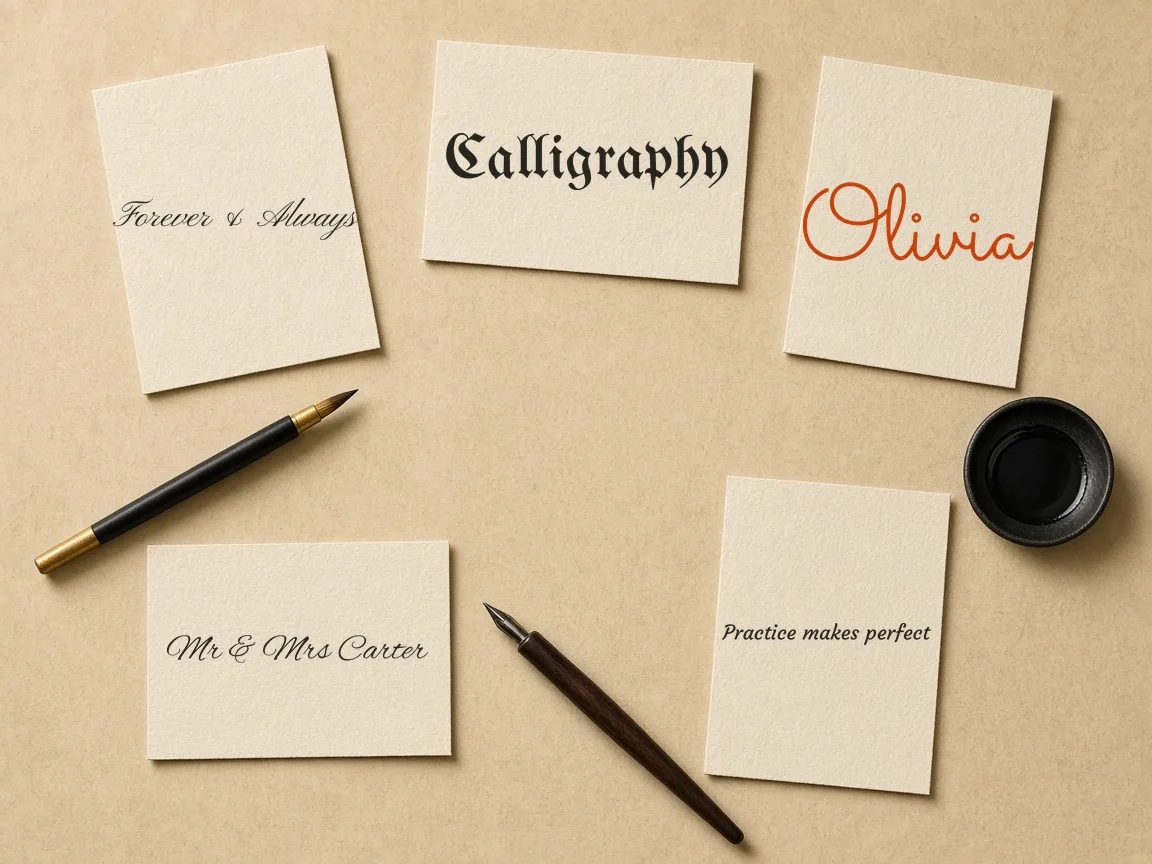
Which Cursive Fonts Suit Formal Wedding Invitations?
Great Vibes and Pinyon Script provide classic calligraphy for wedding stationery and formal announcements directly in your browser.
- Classical Copperplate Loops Great Vibes combines unbroken strokes and fluid curves suited for save-the-date cards and formal envelopes.
- Aristocratic Contrast Letterforms Pinyon Script pairs sharp hairlines with heavy downstrokes reminiscent of historic hand-engraved metal plates.
- Secondary Type Pairing Both scripts pair cleanly with standard sans-serif or classic serif fonts for secondary event details.
- Private Canvas Formatting Adjust font size and line height on the live canvas before exporting vector lettering without logging in.
Learn more
Type your recipient names or event headings into the Cursive Generator to ensure sweeping swashes fit standard cards. Because rendering occurs locally in your browser, your wording stays private without account sign-ins or font installations.
Which Fonts Look Like Real Handwriting for Notes and Journals?
Caveat and Homemade Apple replicate relaxed, spontaneous handwriting for daily journals, recipe cards, and personal blog banners.
Natural Baseline Variations
Caveat features subtle baseline shifts that mimic clean handwriting jotted with a marker or fine-point pen.
Open Loop Pencil Textures
Homemade Apple delivers angled ascenders and open loops that feel like quick ballpoint notes on index cards.
Adjustable Stroke Weight
Toggle between stroke thickness options to customize your lettering for sketchbook captions or banners.
Real-Time Layout Previews
Paste quotes or diary entries into the generator to evaluate handwriting rhythm at actual display scale.
Learn more
Previewing text directly inside the Cursive Generator lets you check how authentic handwriting looks before finalizing graphics. The interactive display provides immediate visual feedback, making it easy to determine whether the relaxed rhythm fits your creative layout.
Which Script Fonts Work for Modern Brand Logos?
Sacramento and Parisienne deliver streamlined monoline scripts for boutique packaging, lifestyle branding, and artisanal product labels.
- Uniform Monoline Thickness Sacramento maintains an even stroke weight that scales gracefully from small product tags to storefront signage.
- Detached Uppercase Glyphs Parisienne introduces French editorial flair with delicate angles and detached uppercase letters for cosmetic labels.
- Geometric Sans Harmonization Both scripts pair smoothly with geometric sans-serif typefaces when setting secondary product descriptions.
- Confidential Brand Testing Test proprietary trademarks and slogans in real time without sending concept data to external servers.
Learn more
Enter your brand name into the Cursive Generator to compare letter spacing and kerning across different scripts. Local browser rendering ensures your proprietary taglines and commercial trademarks remain completely confidential throughout testing.
Retro Diner Signage and Apparel Lettering
Pacifico and Yellowtail offer heavy, retro-inspired brush scripts engineered for apparel lettering, diner signage, and custom decals.
Heavy Distant Readability
Pacifico draws on 1950s surf signs with round terminals and thick strokes that stand out from afar.
Freestanding Vintage Capitals
Yellowtail blends connected cursive lowercase letters with freestanding vintage capitals for classic t-shirts and stickers.
Live Color Contrast
Experiment with letter colors and background contrasts directly on the canvas to optimize visual punch.
Overlapping Loop Verification
Inspect overlapping character loops in your browser before committing vector lettering to screen printing or cutting.
Learn more
Type your slogans into the generator to evaluate headline weight and background contrast on the canvas. Previewing artwork beforehand guarantees that dense brush loops remain crisp before exporting vector files to plotter cutters or screen printers.
Flowing Calligraphy and Monogram Art
Allura and Alex Brush bring traditional pointed-pen flourishes and balanced proportions to certificates, monograms, and keepsake stationery.
- Pointed-Pen Curves Allura provides flowing curves and rounded junctions that reproduce the dignified look of pointed-pen calligraphy.
- Shortened Ascender Clarity Alex Brush features compact ascenders and descenders to preserve clear legibility in multi-word subheadings or signatures.
- Understated Serif Compatibility Both typefaces pair seamlessly alongside understated serif copy on formal diplomas, certificates, and anniversary keepsakes.
- Intertwined Monogram Preview Preview single initials and intertwined swashes on screen to balance uppercase letters with lowercase suffixes.
Learn more
Open the Cursive Generator to test custom monogram initials and intertwined letters in Allura or Alex Brush. Instant on-screen feedback lets you fine-tune character spacing and alignment within your browser, ensuring formal documents look polished.
Dramatic Long-Form Flourishes and Quotes
Tangerine and Italianno provide elongated ascenders and delicate slants for poetry excerpts, formal quotes, and romantic literature.
Historic Quill Proportions
Tangerine channels sixteenth-century cancelleresca cursive with tall ascenders and a slender, compact x-height.
Romantic Slanted Rhythm
Italianno delivers a steeper slant and soft calligraphic weight suitable for love letters and wine labels.
Dynamic Line Spacing
Preview line spacing interactively on the canvas to ensure sweeping vertical flourishes never clash or tangle.
Live Excerpt Sizing
Tweak font sizing directly on screen to keep multi-line literary passages readable and balanced.
Learn more
Because these scripts feature exaggerated ascenders, previewing multi-line passages in the generator is essential. Paste your favorite stanza or excerpt into Cursive Generator to check line clearance in real time and maintain an authentic artisan aesthetic.
Expressive Brush Scripts for Social Graphics
Kaushan Script and Satisfy offer energetic brush lettering tailored for social media graphics, video thumbnails, and promotional banners.
- Textured Brush Impact Kaushan Script features unrefined edges and rapid ink strokes that remain easily readable on mobile displays.
- Upright Marker Flow Satisfy provides a smoother marker flow with playful loops for quote tiles, blog headers, and cards.
- Live Connectivity Inspection Inspect character connectivity on the canvas to ensure joined letters look natural without custom lettering illustrations.
- High-Contrast Feed Testing Evaluate bold typographic contrast on screen to ensure social graphics capture attention across busy feeds.
Learn more
Insert your headlines into the generator toolbar to evaluate stroke weight and letter connectivity before exporting. The interactive preview lets you check high-contrast layouts immediately, ensuring your social graphics stand out in crowded feeds.
Historical Blackletter and Thematic Display
UnifrakturMaguntia and Pirata One bring authentic gothic blackletter drama to craft beer labels, medieval posters, and thematic game assets.
Authentic Fraktur Metalwork
UnifrakturMaguntia replicates historic German metal type for album artwork, fantasy posters, and craft beer labels.
Aggressive Gothic Terminals
Pirata One features sharp diamond terminals and condensed letterforms suited for escape rooms and festival flyers.
Live Spacing Verification
Preview letter spacing in the generator to keep dense blackletter characters sharp and legible.
Silhouette Density Control
Evaluate glyph density on the canvas to prevent intricate gothic display headings from blurring into muddy silhouettes.
Learn more
These ornate display fonts have dense textures, making a live browser preview crucial. Type your headline into the Cursive Generator to check glyph spacing directly on canvas and ensure your thematic titles maintain full visual impact.
Try also: name in cursive · cursive worksheets · tattoo fonts · wedding calligraphy · gothic fonts · signature generator · best free cursive fonts
Frequently asked questions
Are the cursive fonts on Cursive Generator free for commercial use?
Yes. Every font featured on Cursive Generator is licensed under open-source terms such as the SIL Open Font License 1.1 or the Apache License 2.0. You can freely use them in commercial projects, including logo designs, client websites, physical merchandise, packaging, and digital advertisements without paying royalty fees or licensing costs.
Do I need to install any software or fonts on my computer to use Cursive Generator?
No installation is necessary. All lettering tools on Cursive Generator run completely in your web browser. The fonts render directly on the interactive canvas, allowing you to compose text, customize styling, preview layouts, and export your artwork without downloading font files, installing third-party apps, or registering an account.
How do I choose between a monoline script and a calligraphic cursive font?
Choose monoline scripts like Sacramento when you need consistent stroke width, modern aesthetics, and clean readability across small digital screens or etched goods. Opt for calligraphic fonts like Great Vibes or Pinyon Script when you want traditional elegance, romantic flourishes, and dramatic contrast between thin upstrokes and thick downstrokes.
Is my text data stored or uploaded when I use the Cursive Generator?
No. Cursive Generator processes and renders all lettering entirely within your local browser session. Your custom text, client names, and project headlines are never transmitted across a network, uploaded to external cloud servers, or logged in any database, ensuring full privacy for confidential client work.
What are good free cursive fonts for wedding invitations?
Great Vibes and Pinyon Script are two popular free options available on Cursive Generator for formal wedding invitations. Great Vibes provides classical copperplate loops with fluid strokes, while Pinyon Script offers aristocratic letterforms with sharp contrast. You can test your wording on Cursive Generator's live canvas, adjust letter size and line height, and export transparent PNG or vector SVG files for stationery printing. The entire process runs locally in your browser with no account needed.
Which free cursive fonts look like real handwriting for notes or journaling?
Caveat and Homemade Apple are two free handwriting fonts available on Cursive Generator that closely mimic real penmanship. Caveat recreates the look of a rounded marker with subtle baseline variations, giving personal notes a warm and casual atmosphere. Homemade Apple looks like authentic scribbles from a fine pencil or ballpoint pen on recipe cards. You can preview both within Cursive Generator's 122 open-source fonts and export them without signing up.
Can I export cursive lettering as vector SVG files for design projects?
Yes, Cursive Generator allows you to export your custom cursive typography directly as scalable vector SVG files or transparent PNG images. Every rendering process executes locally in your browser, so your graphics generate instantly without uploading text to external servers. You can easily tweak font size, line spacing, and subtle text shadows before saving your vector assets for craft cutters, apparel designs, or commercial print layouts.
How can I make and print cursive practice worksheets for kids?
Cursive Generator provides a dedicated worksheet tool that lets you create and export printable cursive handwriting sheets for free. You can generate practice lines using built-in open-source cursive fonts and download them directly as ready-to-print US Letter or A4 PDF documents. Because the entire generator runs directly inside your web browser without requiring accounts or font installations, parents and teachers can produce clean handwriting printables instantly at home.
Can I copy and paste cursive text directly into social media bios and captions?
Yes, Cursive Generator includes a Unicode cursive tool that lets you copy stylized script characters directly to your clipboard for social platforms. Because Unicode formatting transforms standard letters into universal character symbols, you can paste decorative cursive text into Instagram bios, TikTok captions, or messaging apps. The tool works instantly online, requires no login or installation, and processes all text transformations privately in your browser.
How do I check if my ambigram lettering works upside down for a tattoo design?
Cursive Generator features an ambigram preview tool with an interactive 180-degree flip check designed to inspect rotational symmetry. You can type your lettering and immediately flip the preview to ensure your text reads legibly from both directions before finalizing tattoo artwork or logo designs. The ambigram checker operates completely within your web browser, keeping your personal design ideas private and free without any sign-up requirements.
How do I add text shadows or styling effects to cursive fonts online?
Cursive Generator includes built-in styling controls that allow you to add text shadows and adjust letter size and line height live on canvas. You can experiment with these effects across 122 open-source fonts licensed under SIL OFL or Apache 2.0 without installing desktop software. Once satisfied with your shadow styling and spacing, you can export your finished typography as a transparent PNG or vector SVG file completely free.
Sources and further reading
- SIL Open Font License (OFL) — SIL International
- Google Fonts FAQ (licensing) — Google for Developers
- Great Vibes font specimen — Google Fonts
- Unicode Technical Report #25: Unicode Support for Mathematics — Unicode Consortium
- Script typeface — Wikipedia
- Blackletter — Wikipedia